

Intro To Image Production
Intro to Image Production is a class where we learn how to use Photoshop, explore digital photography, and image production.
This is where I will display my work.

This is a collage we had to do of our interests and what makes us who we are. I chose to include the media and things I'm into as well as my friends!
This is the google sheet we used to write about why we chose the specific images in our collage.

This is a magazine cover we had to complete. The pictures shown we took outside of the school using digital cameras according to 5 different sets.


These are the logos we had to design. These will be used to watermark/sign our projects.
We had to make a full name and an abbreviated version.
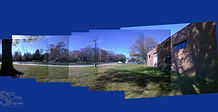
Using digital cameras, we took panoramic shots standing in place and rotating, and another set of shots moving in a straight line to get the same effect.

This project worked with more of the tools provided by Photoshop, such as the cloning tool and perspective transformation. We had to do an animal pop-out and a human pop-out.


Using Photoshop, we had to make a Holiday card and decorate it for a friend or family member. I made mine for my friend Elli.


For this project, we had to use photography and Photoshop to create mirror images of the photos we took.


Using digital cameras, we had to take pictures of each part of an item/or object. In this exercise, we would create a near panoramic image by combining the pictures to form the full image.

For this project, we had to use photography and Photoshop to create clones of a person and set them around in a scene.
For this project we were virtual, so instead of photoshop we used Canva. We had to take pictures using scavenger hunt prompts and turn them into a collage
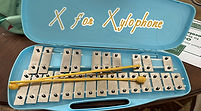
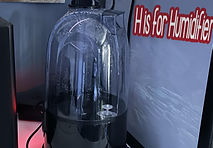

We were still virtual and instead of Canva we used Pixlr, a photoshop alternative, to continue to work on our lettering project at home.

We had to take pictures of two objects and comparing the depth of field between them. We then created a background according to the pictures with matching descriptions describing what was happening.

We were tasked with creating an alphabet collage with various items around the school. We utilized photoshop and photography.


We had to take pictures of both big and small objects at an angle to show how perspective can warp something and add a background related to the subjects
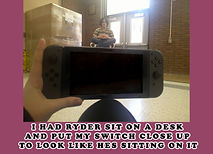


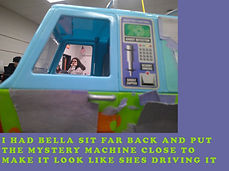
We had to take picture with our friends interactive with perspective with either objects or each other.


I contrasted the texture of the smooth metal, the plaster wall, and the cork board
I contrasted fabric of my sweater to the smooth computer metal
I contrasted the texture of the brick wall, the plaster wall, and the metal of the fan.


I contrasted the texture of mesh of my backpack pocket to the smooth fabric of my backpack strap
I contrasted the color of the dark metal to the bright orange of the two lockers
I contrasted the color of the black construction paper the bright colors of the border

I contrasted the color of the red fire extinguisher to the bright yellow locker

I contrasted the color of the rainbow border to the light blue of the shiny paper
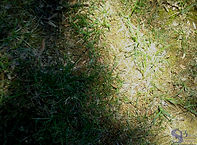

I contrasted the shadow of the tree with the bright reflection of the sun on the grass
I contrasted the darkness of the hallway to the bright light of the wall


I contrasted the darkness of the hallway with bright light from the art room
I contrasted the dark hallway with the reflection of the brightness of the classroom on the floor

I contrasted the fake mannequin head to Ryder's real head
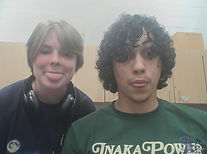
I contrasted Ryder's curly hair to my straight hair

I contrasted Bella being alive with the dead skeleton

I contrasted the laptop with the nature outside of the classroom


We had to take pictures using a phone screen to create a reflection of an image


